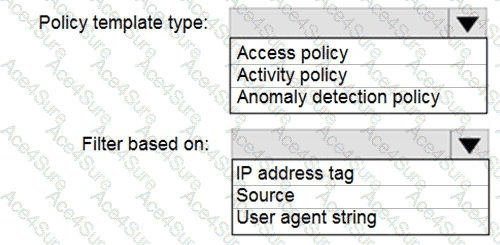
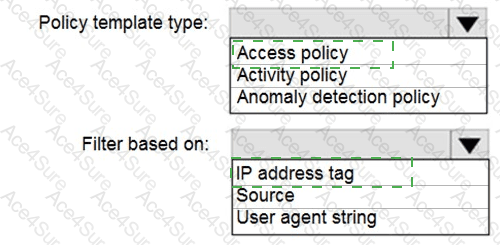
Policy template type: Access policy
Filter based on: IP address tag
In Microsoft Defender for Cloud Apps (formerly Microsoft Cloud App Security), policies are used to detect, alert, and control access or activity patterns across cloud applications.
To detect connections originating from a botnet network , you need a policy that evaluates real-time access conditions such as the user’s IP address, device, or location at the time of the connection attempt. This is achieved thr ough an Access policy , which controls and monitors session access to cloud apps using Conditional Access App Control.
Microsoft documentation specifies that Access policies can filter based on IP address ranges, tags, or risk levels. The “IP address tag” i s particularly used to classify addresses into categories like “Risky,” “Anonymous proxy,” “Botnet,” etc. Microsoft’s built-in IP address tagging capability recognizes malicious or suspicious sources, including known botnet IPs.
Activity policies monitor i n-app user actions such as file downloads, sharing, or admin operations—not the connection origin.
Anomaly detection policies rely on behavioral analytics and machine learning, not static IP classifications, and cannot explicitly target botnet IPs.
Therefo re, to meet the requirement of detecting connections to Microsoft 365 apps from botnet networks , you must configure an Access policy that filters based on the IP address tag set to “Botnet.”