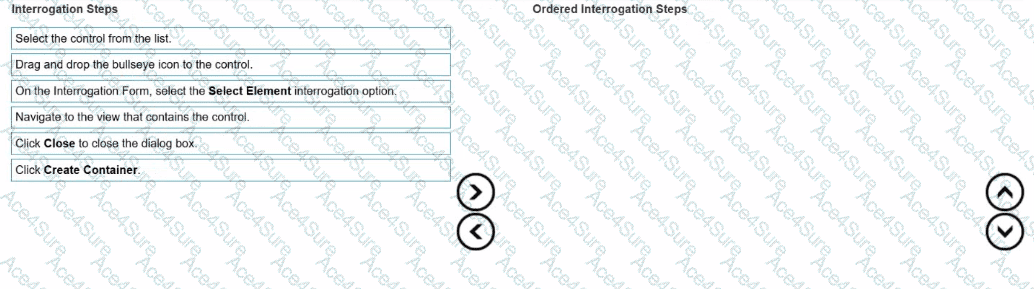
When interrogating a single-page web application (SPA), controls often reside within dynamic DOM regions or logical page views that reload content without changing the page URL.
To effectively interrogate such controls, developers must create containers that define a logical grouping for the dynamic content—allowing Pega Robot Studio to maintain proper context when referencing those controls.
According to the Pega Robotics System Design and Implementation Guide, section “Interrogating Single-Page Web Applications”:
“When interrogating single-page web applications (SPA), developers must first create a container that represents the logical view within which controls exist.
Navigate to the page or view where the target control appears.
In the Interrogation Form, select Select Element to enable control selection mode.
Use the Bullseye tool to highlight and select the control or parent HTML element.
From the list of detected controls, choose the desired control to bind.
Click Create Container to define the logical page grouping for the interrogated control.
Click Close to exit the dialog once the container has been successfully created.”
Detailed Step Reasoning:
Navigate to the view that contains the control.
On the Interrogation Form, select the Select Element interrogation option.
Activates the Select Element mode, allowing you to interrogate web-based elements precisely.
Drag and drop the bullseye icon to the control.
Select the control from the list.
Click Create Container.
Creates a container object in the automation hierarchy that represents the logical view of the web application (essential for SPAs).
Click Close to close the dialog box.
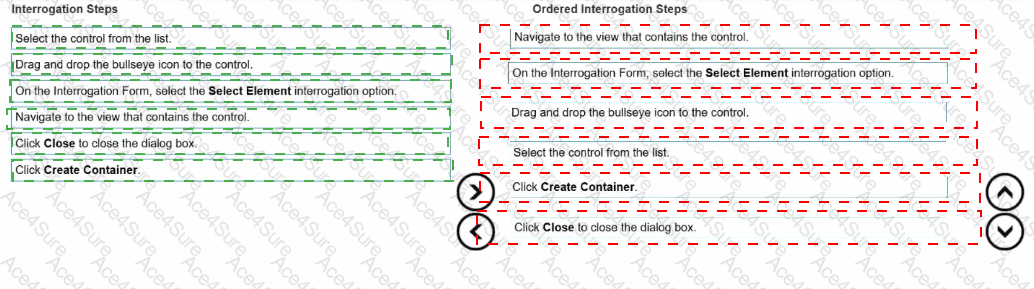
Final Ordered Steps:
Order
Interrogation Step
1
Navigate to the view that contains the control.
2
On the Interrogation Form, select the Select Element interrogation option.
3
Drag and drop the bullseye icon to the control.
4
Select the control from the list.
5
Click Create Container.
6
Click Close to close the dialog box.
[Reference:Extracted and verified from Pega Robotics System Design and Implementation Guide, Interrogating Single-Page Applications and Creating Logical Containers section (Pega Robotics 19.1 and later)., , ]