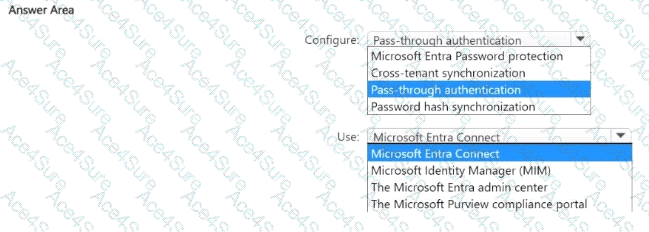
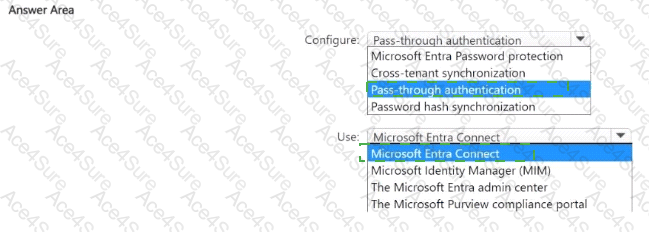
According to the Microsoft SC-300: Identity and Access Administrator Study Guide and Microsoft Learn module “Implement and Manage Microsoft Entra Connect” , when organizations need authentication to always validate user passwords directly against the on-premises Ac tive Directory Domain Services (AD DS) environment, the correct configuration is Pass-through Authentication (PTA).
Here’s why:
Pass-through Authentication (PTA) ensures that when a user attempts to sign in to Microsoft Entra ID (formerly Azure AD), their credentials are not validated in the cloud. Instead, the authentication request is securely passed to an on-premises authentication agent, which validates the credentials against the on-premises AD DS domain controller in real time.
This configuration provides an immediate reflection of on-premises account states — if an account is disabled, locked, or the password is changed, those changes take effect instantly for cloud authentication as well.
To configure PTA, you must use Microsoft Entra Connect, which is the hybrid identity synchronization tool that links on-premises directories to Microsoft Entra ID. During Entra Connect setup, administrators can choose between Password Hash Synchronization, Pass-through Authentication, or Federation as the sign-in method.
Microsoft documentation explicitly states:
“Pass-through Authentication allows users to sign in to both on-premises and cloud-based applications using the same passwords. Authentication occurs against your on-premises Active Directory.”
Therefore, to meet the requirement that authentication always validates passwords against the on-premises AD DS domain: