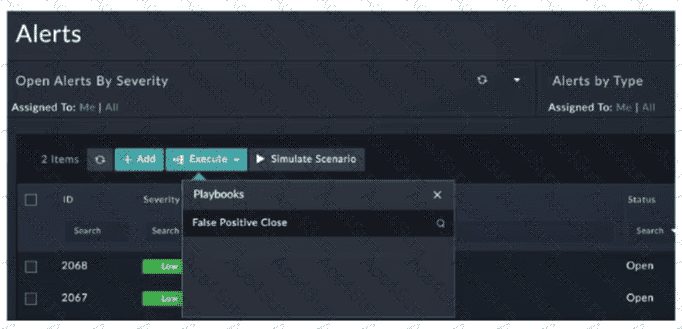
In FortiSOAR 7.6, manual playbooks appear in the Execute menu of a record only if they meet specific configuration criteria defined in the Manual Trigger step:
Module Scope (C): When creating a playbook with a manual trigger, the administrator must explicitly select which modules (e.g., Alerts, Incidents, Indicators) can execute the playbook. If the Alerts module is not selected in the " Applicable Modules " section of the trigger configuration, the playbook will remain hidden from the Execute menu when an analyst is viewing the Alerts module.
Trigger Execution Requirements (D): Manual triggers can be configured to execute on no records, a single record, or multiple records. If a playbook is configured with the " Requires record input to run " setting but is specifically restricted to a different input type (or if there is a mismatch in the selection logic), it will not appear in the menu unless the correct number of records are selected. Furthermore, if a playbook is designed to run only when no record is selected (global utility), it will not show up in the context-sensitive menu of a specific record.
Why other options are incorrect:
Publishing (A): FortiSOAR playbooks do not require a separate " publishing " step via an Application Editor to become visible. Once they are saved and active (toggled on), they are immediately available for use based on their trigger settings.
Concurrent Execution (B): FortiSOAR allows multiple instances of the same playbook to run simultaneously. An active execution of a playbook does not hide it from the menu for other analysts or subsequent runs.