Exact Extract — Official Administration Guide
FortiOS 8.0.0 Administration Guide | RADIUS group inclusion | p. 3768
“This allows each user group to try and authenticate users against the RADIUS server if local authentication fails.”
Technical Deep Dive
Meaning of “Include in every user group” (FortiOS 8.0)
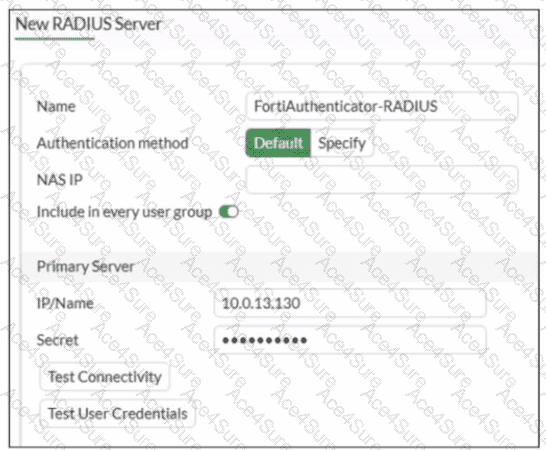
When configuring a RADIUS server on FortiGate, enabling Include in every user group has a very specific and documented effect:
The configured RADIUS server object is automatically added to all FortiGate user groups.
As a result, any user who successfully authenticates against that RADIUS server becomes a valid member of every FortiGate user group, unless additional group filtering (such as RADIUS attributes) is applied.
This simplifies configuration when the same external authentication source must be accepted across multiple firewall policies that reference different user groups.
This behavior is explicitly described in the FortiOS under RADIUS authentication servers and user groups.
FortiGate user groups can include:
Enabling Include in every user group causes FortiGate to:
Insert the RADIUS server into all existing and future FortiGate user groups
Therefore, all users authenticating via this RADIUS server are implicitly allowed in every FortiGate user group.
This is exactly what option A describes.
B: FortiGate does not push users or groups into the RADIUS server. Authentication is always initiated by FortiGate toward RADIUS.
C: FortiGate does not manage or modify RADIUS-side group definitions.
D: LDAP and RADIUS user groups are separate authentication mechanisms; this setting does not merge or affect LDAP groups.
FortiOS 8.0 verification note: Including a RADIUS server in all FortiGate groups does not change external directory group membership.