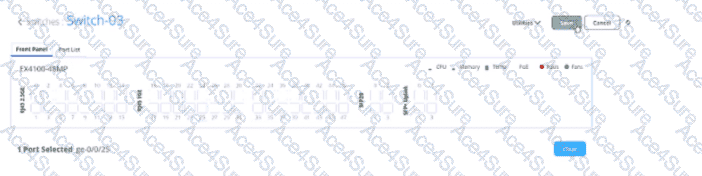
In theJuniper Mist AI for Wired dashboard, administrators can select one or more switch ports (as shown in the exhibit, e.g., port ge-0/0/25 on an EX4100-48MP). Once configuration changes are made — such as VLAN assignment, port profiles, PoE settings, or administrative state — theSave buttonmust be clicked to confirm and apply those changes to the device.
“When making configuration changes in the Mist switch interface, the Save button must be used to confirm the modifications. Clicking Save applies the selected port settings to the switch through Mist Cloud.”
Option Ais incorrect: saving does not create a backup. Backups and snapshots are handled through Mist’s configuration archive, not via the Save button.
Option Bis incorrect: Save does not reset configuration; instead, it commits changes.
Option Cis incorrect: there is no preview function tied to Save.
Option Dis correct: the Save button is explicitly forapplying configuration changesto the selected switch or port(s).
[References:, Juniper Mist AI for Wired – Switch Port Configuration Guide, Juniper Mist AI for Wired – Wired Assurance Administration Guide, Juniper Mist Documentation – Managing Switch Interfaces, , , , , ]