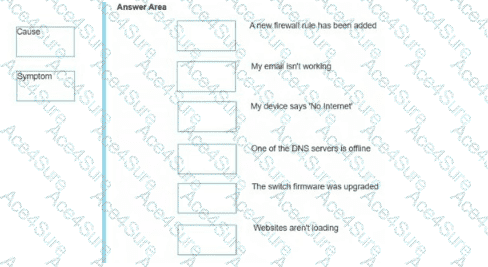
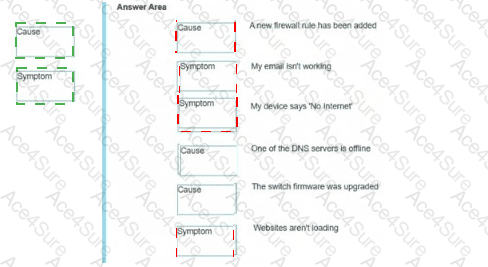
A new firewall rule has been added = Cause
My email is not working = Symptom
My device says “No Internet” = Symptom
One of the DNS servers is offline = Cause
The switch firmware was upgraded = Cause
Websites are not loading = Symptom
The correct classification separates observed user impact from likely reasons for that impact. A symptom is what users or administrators observe, such as “email is not working,” “No Internet,” or “websites are not loading.” These describe the effect of the problem but do not identify why it is happening. A cause is a condition, change, or failure that could explain the symptom. A newly added firewall rule could block traffic, an offline DNS server could prevent name resolution, and a firmware upgrade could introduce a configuration, compatibility, or service-change issue. HPE Aruba Networking troubleshooting documentation commonly separates symptoms from causes and corrective actions; for example, AOS-CX troubleshooting sections describe a visible symptom, then identify the cause and action needed to resolve it. This method helps avoid guessing and keeps troubleshooting structured: first collect symptoms, then identify recent changes and infrastructure failures that could be possible causes. In this question, the user-facing service failures are symptoms, while the firewall, DNS, and firmware items are possible causes.