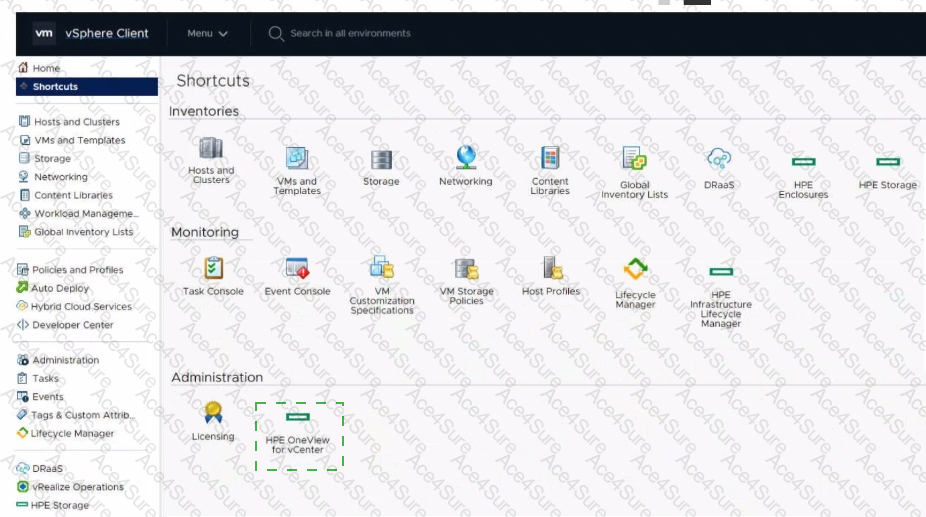
Click the option that will allow you to change the ESXI image used In an OS Deployment Plan.
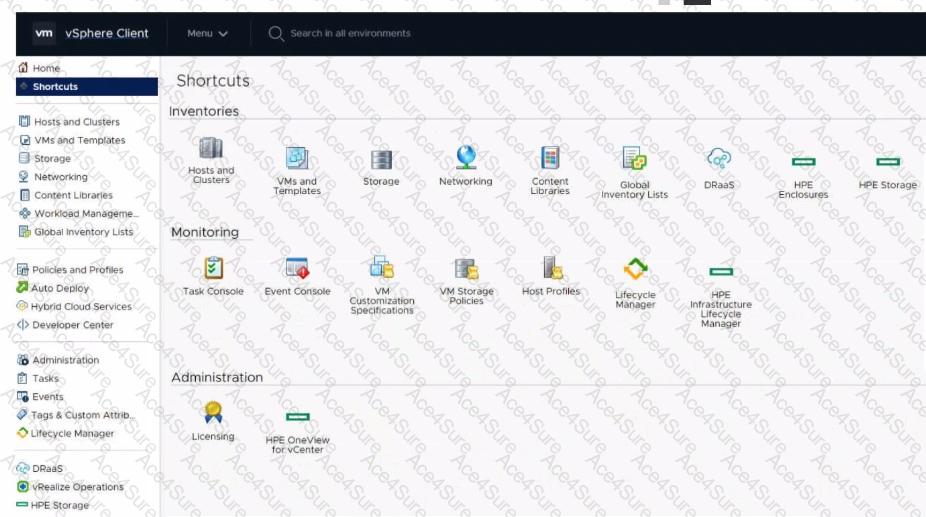
The Answer Is:
Answer:
This question includes an explanation.
Explanation:
Click the " HPE OneView for vCenter " icon under the Administration section
HPE OneView for vCenter (under Administration): This icon provides access to the plugin ' s administrative console and configuration settings. Within this interface, there is a Deployment tab (or sub-page) specifically designed for managing OS Build Plans (or OS Deployment Plans). From the Deployment page, administrators can view, create, edit, and delete build plans, as well as upload or remove ESXi ISO images used within those plans.
HPE Infrastructure Lifecycle Manager (under Monitoring): This icon is primarily used for infrastructure health monitoring and firmware remediation (managing Service Packs for ProLiant - SPP), rather than operating system deployment plans.
HPE Enclosures and HPE Storage (under Inventories): These icons provide inventory views of the physical enclosure and storage resources managed by the plugin.
Therefore, to change the ESXi image used in an OS Deployment Plan, you must navigate to the administrative settings of the plugin by clicking the HPE OneView for vCenter icon in the Administration section of the Shortcuts menu.
HPE0-S59 PDF/Engine
Printable Format
Value of Money
100% Pass Assurance
Verified Answers
Researched by Industry Experts
Based on Real Exams Scenarios
100% Real Questions
Get 65% Discount on All Products,
Use Coupon: "ac4s65"