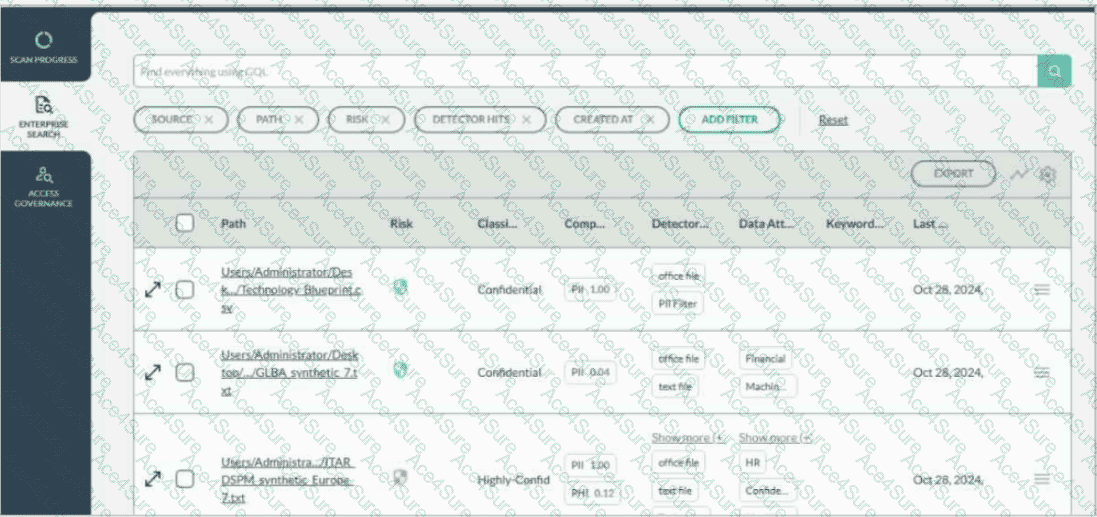
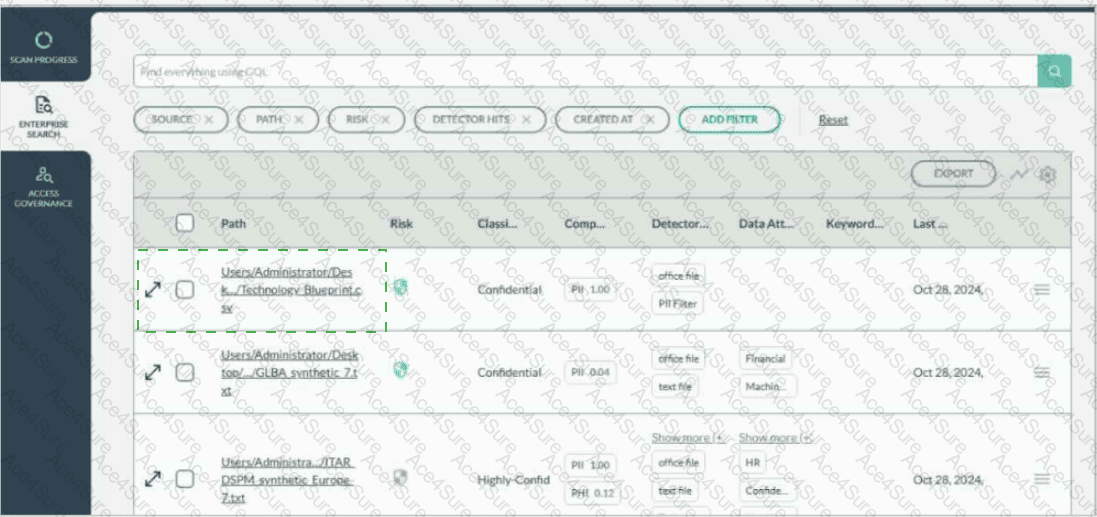
Users/Administrator/Desk.../Technology Blueprint.csv
To view the file details for Technology Blueprint.CSV , select the diagonal expand/open-details icon on the far-left side of that file’s row in Enterprise Search . This icon appears before the row checkbox and before the file path. It is the row-level control used to open the detailed file view for the selected file.
Forcepoint DSPM’s Enterprise Search view presents discovered files in a tabular results format, with each row representing an individual scanned file and columns showing properties such as path, risk, classification, compliance, detector hits, attributes, keywords, and last classification date. Forcepoint documentation describes Enterprise Search as the location where each listed file has associated file details shown in columns and where administrators can refine displayed information through column configuration.
The checkbox is used for selecting the row for bulk or action-based operations, and the hamburger menu on the right provides additional row actions such as permissions or other menu-driven options. To inspect the file itself, the correct target is the left-side expand/details icon aligned with the Technology Blueprint.CSV entry. References/topics: Enterprise Search, File Details, Search Results Table, Row-Level Expand Details, File Classification Review .