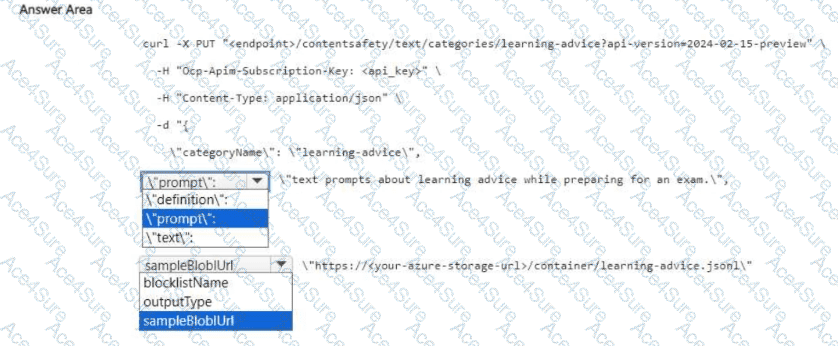
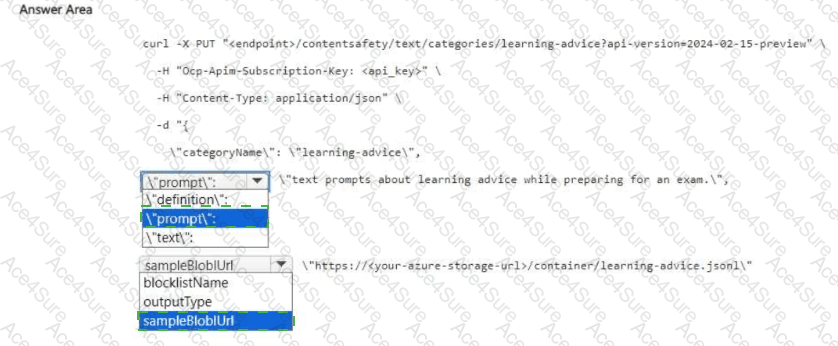
Use " definition " for the first field and " sampleBlobUrl " for the second field
When creating a custom text category in Azure AI Content Safety, you call the PUT /contentsafety/text/categories/{categoryName} endpoint and provide a JSON body that includes:
categoryName : the identifier of your category.
definition : a natural-language description of what the category covers (e.g., “text prompts about learning advice while preparing for an exam”).
sampleBlobUrl : a pointer to labeled sample data (typically a JSONL file in Azure Storage) used to help the service understand the category.
Keys like prompt or text are used when analyzing content (for example, text:detect ), not when defining a category. Likewise, blocklistName applies to blocklist operations, and outputType is not part of the category-creation schema. Therefore, the correct payload fields to complete the cURL are definition and sampleBlobUrl .
Microsoft Azure AI References (titles only)
Azure AI Content Safety – Create or update custom text categories (REST)
Azure AI Content Safety – Custom categories concepts and training data (JSONL in blob storage)
Azure AI Content Safety – Text analysis vs. category management endpoints