Comprehensive Detailed Explanation
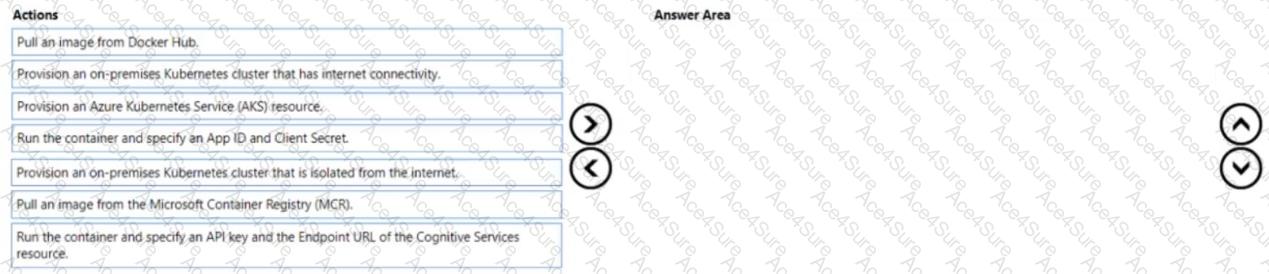
You need to analyze confidential documents with the Language service while ensuring those documents never leave your premises. The supported pattern for Azure AI Services (Cognitive Services) is to run the Language service container on-premises and send the app’s requests to that local container endpoint. The container performs inference locally; only metering/billing calls are sent to Azure.
To achieve this:
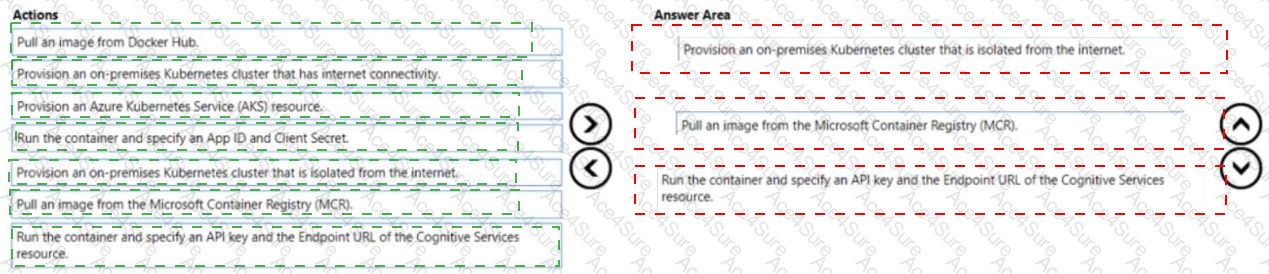
Provision an on-premises Kubernetes cluster that has internet connectivity.
Azure AI service containers running on-prem require outbound access to Azure for metering and billing unless you’re using the special disconnected model (not implied here). Therefore, the cluster must have internet connectivity so the container can reach the Azure billing endpoint while keeping document content local.
Pull an image from the Microsoft Container Registry (MCR).
Official Azure AI service containers (including Language) are published in MCR, not Docker Hub. You must pull the Language (Text Analytics/Language) container image from MCR.
Run the container and specify an API key and the Endpoint URL of the Cognitive Services resource.
When you start the container, you configure it with the API key and billing (endpoint) URL of your Azure Cognitive Services (multi-service or Language) resource. This enables the container to authenticate and report usage to Azure, while your data stays on-prem.
Why not the other options?
AKS would place workloads in Azure, which isn’t required when the requirement is to keep documents on-prem.
On-prem cluster isolated from the internet would block the container’s required calls to Azure’s billing endpoint.
Pull from Docker Hub is incorrect because Azure AI service containers are published to MCR.
App ID and Client Secret are not the standard parameters for Azure AI service containers; they require API key + billing endpoint.
Microsoft Azure AI Solution References
Use Azure AI services in containers (billing/endpoint and API key requirements, data remains local):
Microsoft Learn – Install and run containers for Azure AI services and Use containers with Azure AI services (metering and billing) .
https://learn.microsoft.com/azure/ai-services/containers/
Language service container images on Microsoft Container Registry (MCR):
Microsoft Learn – Deploy language containers (Text Analytics/Language) .
https://learn.microsoft.com/azure/ai-services/language-service/how-to/use-containers
Networking requirements (internet connectivity for metering):
Microsoft Learn – Configure containers and network access for Azure AI services containers .
https://learn.microsoft.com/azure/ai-services/containers/container-requirements-and-limits
These documents collectively show that: (a) containers are pulled from MCR, (b) they are configured with API key + endpoint for billing, and (c) internet egress is required for metering while payload data remains on-premises.