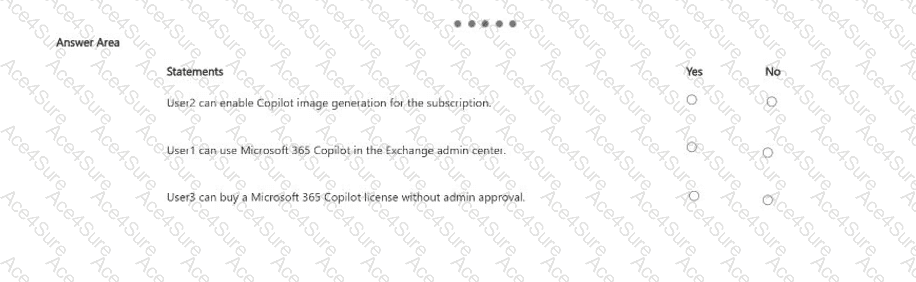
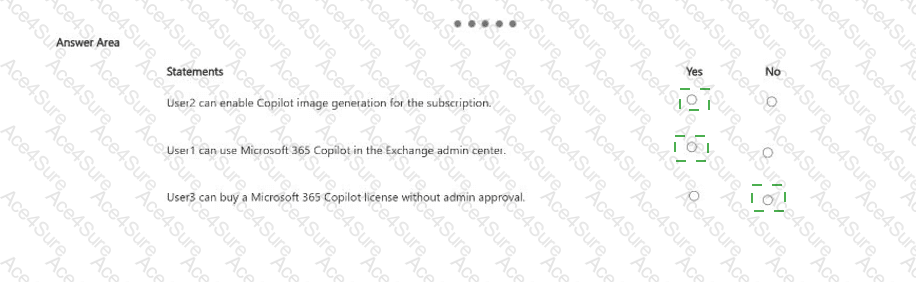
User2 can enable Copilot image generation for the subscription: Yes; User1 can use Microsoft 365 Copilot in the Exchange admin center: Yes; User3 can buy a Microsoft 365 Copilot license without admin approval: No
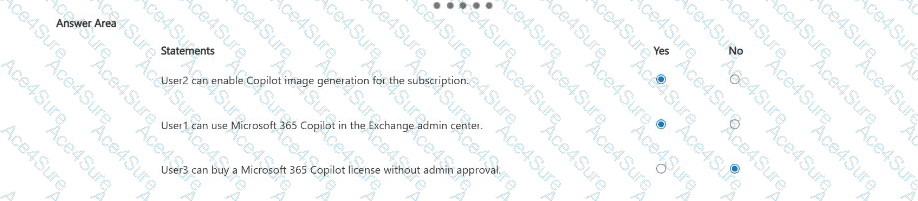
Microsoft 365 Copilot administrative controls determine who can manage AI functionality, access Copilot within administrative portals, and purchase licenses independently.
First statement: Yes. User2 holds the AI Administrator role, which provides permission to configure Microsoft Copilot settings, including image generation. An AI Administrator can navigate to the Microsoft 365 admin center, open Copilot settings, and modify the Copilot image generation configuration.
Second statement: Yes. User1 holds the Global Reader role. This is a recognized administrative role that provides read-only access to supported Microsoft 365 administrative portals, including Exchange admin center. Because Copilot in admin centers is configured as Allowed for all admins, User1 can access supported Copilot functionality within the permissions of the role. This does not grant permission to modify Exchange settings.
Third statement: No. The self-service purchasing configuration is Allow trials only. This permits eligible users to start supported trials but prevents them from purchasing Microsoft 365 Copilot licenses independently.
User3 has no administrative role and cannot bypass the purchasing restriction.
Therefore, the correct sequence is Yes, Yes, No.
Microsoft References:
https://learn.microsoft.com/en-us/microsoft-365/copilot/microsoft-365-copilot-page
https://learn.microsoft.com/en-us/entra/identity/role-based-access-control/permissions-reference