
Microsoft AB-210 Question Answer
A company is using Dynamics 365 Sales.
The company wants sellers to use a repeatable sequence for opportunities. The company has the following requirements for the opportunity stages:
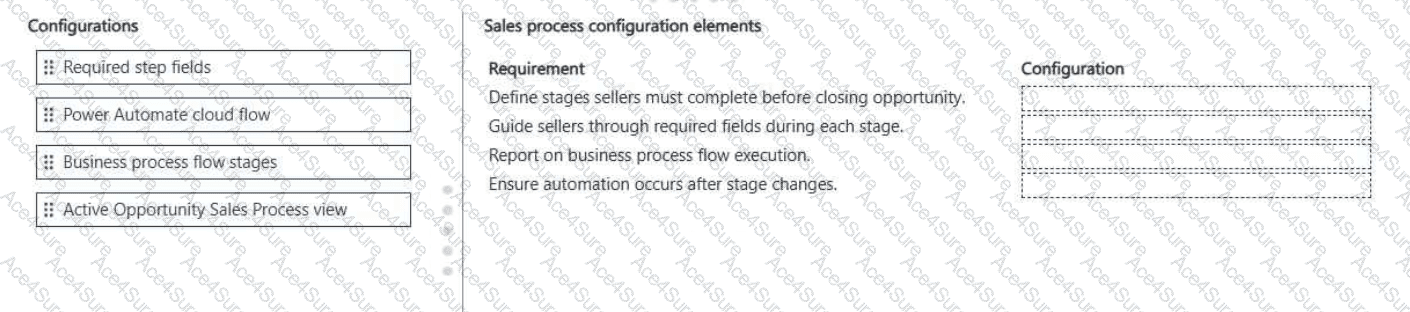
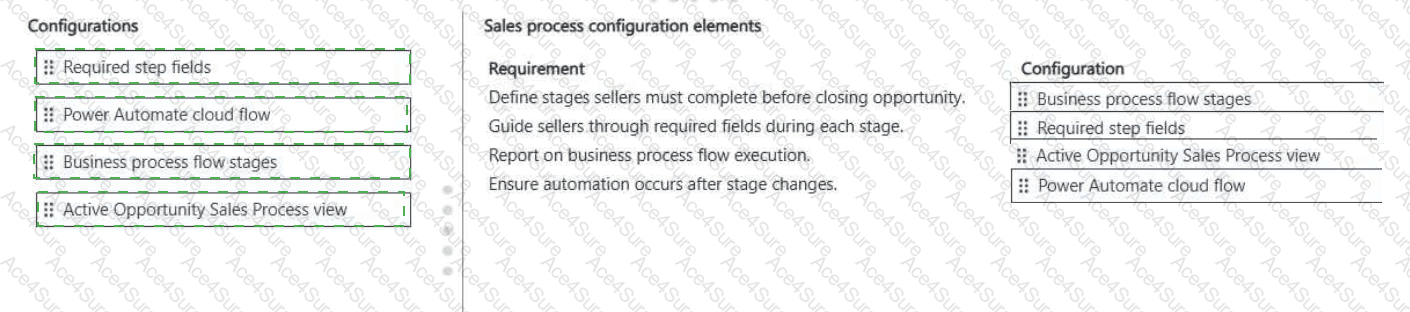
Must define the flow of work sellers must complete before closing an opportunity.
Must guide sellers through data entry at each stage.
Must report on the business process flow execution.
Must ensure background process occurs after stage changes.
You need to configure a solution for each requirement.
Which configuration should you use for each requirement? To answer, move the appropriate configurations to the correct requirements. You may use each configuration once, more than once, or not at all. You may need to move the split bar between panes or scroll to view content.
NOTE: Each correct selection is worth one point.
- Printable Format
- Value of Money
- 100% Pass Assurance
- Verified Answers
- Researched by Industry Experts
- Based on Real Exams Scenarios
- 100% Real Questions

