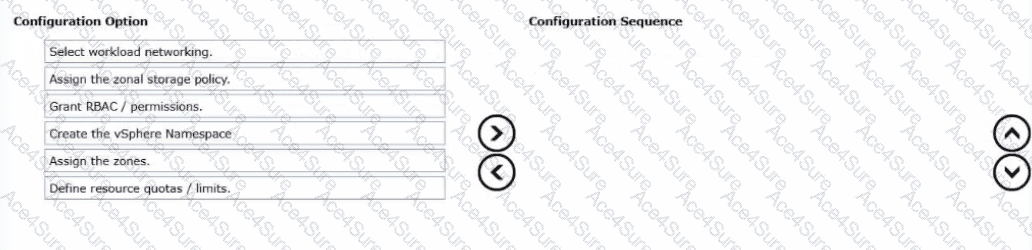
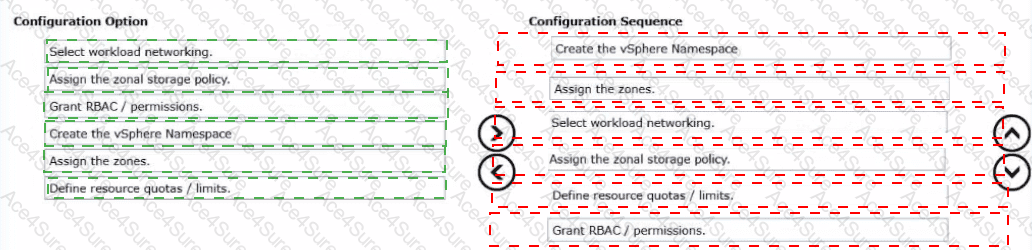
Configuration Sequence (in order):
Create the vSphere Namespace
Assign the zones
Select workload networking
Assign the zonal storage policy
Define resource quotas / limits
Grant RBAC / permissions
A zonal vSphere Namespace is created as a standard namespace first, then “zonalized” by associating it with one or morevSphere Zonesso workloads can be scheduled according to zone placement rules. You start bycreating the namespacebecause it is the tenancy and governance container where networking, storage access, quotas, and permissions are applied. Next, youassign the zones, since zone association is what makes the namespace “zonal” and determines where Kubernetes workloads (and their node pools) are allowed to land.
With zones set, you configureworkload networking, because namespaces must have the correct network attachment and IP behavior for the workloads that will be placed across the selected zones. Then youassign the zonal storage policy, ensuring that persistent volumes can be provisioned using storage that is valid/available for the zone placement model you selected. After networking and storage access are defined, you setresource quotas/limits(CPU, memory, storage) so multi-tenant consumption stays within governance boundaries. Finally, yougrant RBAC/permissionsso the right DevOps/users can consume the namespace and provision clusters/workloads under the enforced controls.